Your graphics are already a web page.
Cenna Studio turns a designer's Photoshop file into a transparent browser source your switcher can take to air — editable, animated, and bound to live data. Change source to see another show, then press Show alpha and watch the video fall away.

localhost:3344/p/kx8f2/match-statsOne file, three hands, no redraw.
The handoff is where broadcast graphics usually die — a designer's file gets rebuilt by hand in a tool they've never opened. Cenna Studio carries the file across intact.
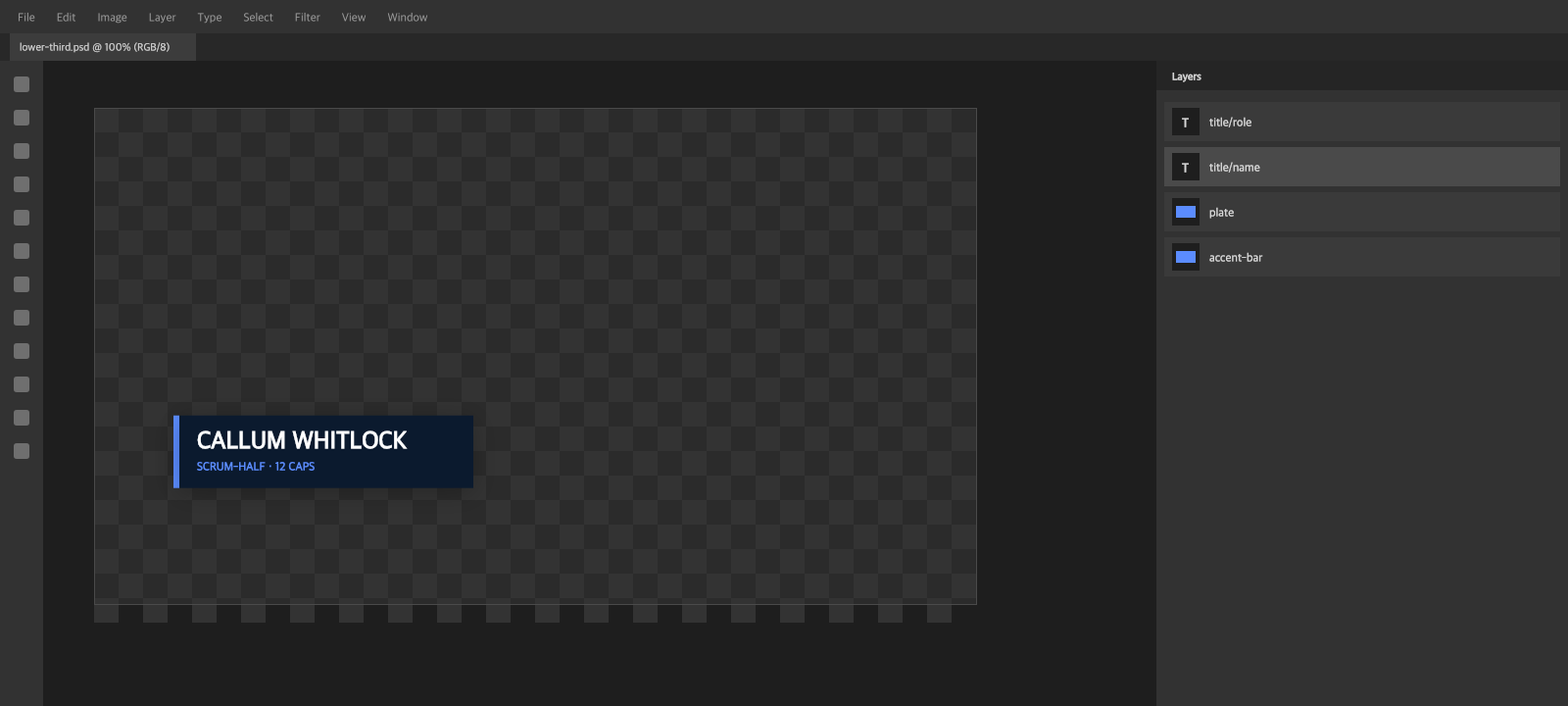
Four layers, two of them live text. Built at 1920×1080 the way they always are.
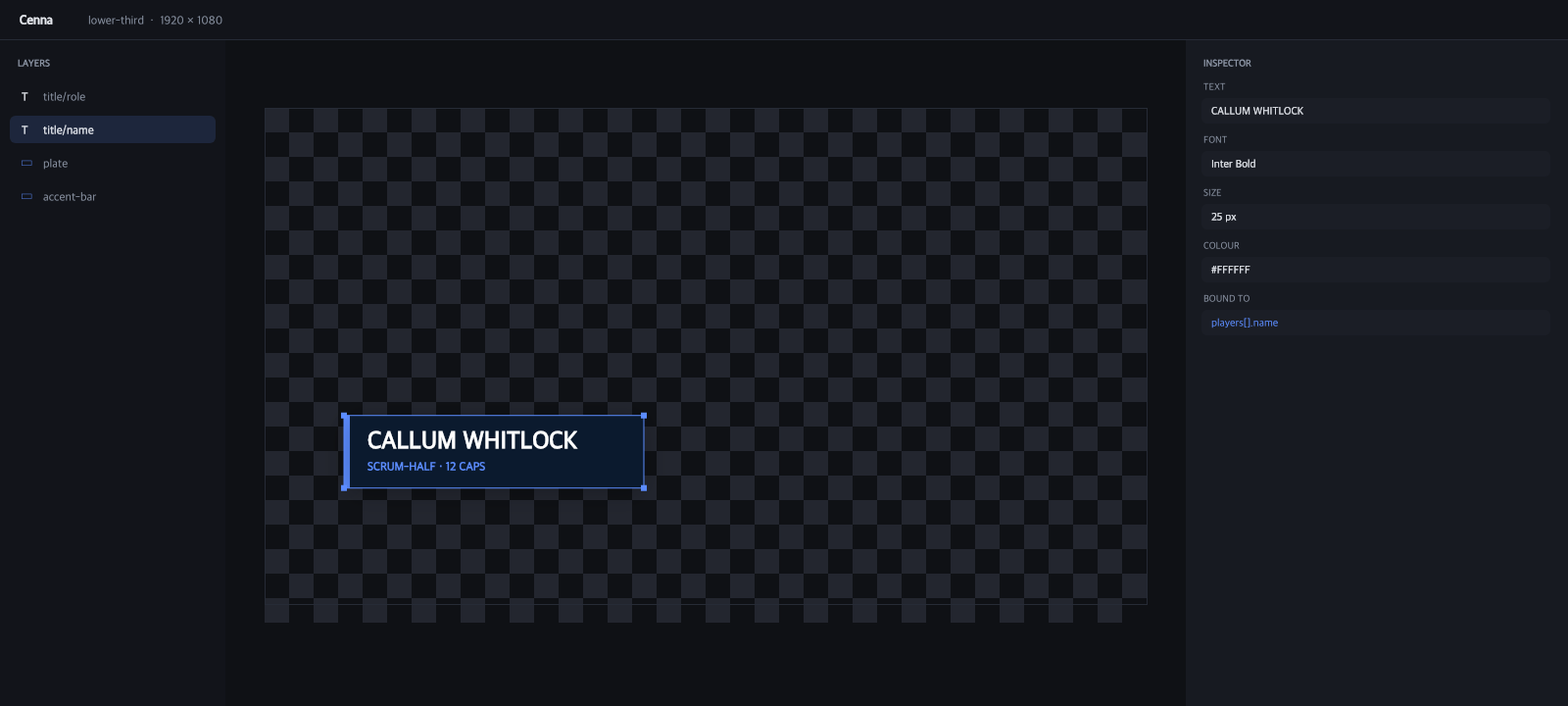
The same four layers, same names, same position. The text is still text — and now it can be bound and keyed.
- In PhotoshopThe designer
Builds the overlay at 1920×1080 the way they always have. Groups stay groups, text layers stay text. Nobody learns a new tool.
- In Cenna StudioThe operator
Imports the PSD. Art becomes PNG layers, Photoshop text stays editable, and every field can be bound to live JSON and keyed on a timeline.
- On airThe show
One browser source per overlay, in whatever you switch on. Cenna Studio serves it transparent from wherever it's running on the network, and the control panel drives it live.
A transition is a list, not a preset.
Every layer gets its own track, and every track holds as many clips as the graphic needs — draw the bar on, wipe the plate open, move the name in and fade it up on a clock of its own. Each clip carries its own delay from the top of the transition rather than from the clip before it, and states only the properties it touches, so clips overlap and play together instead of queueing.
Drag the scrubber. It's a paused animation, not a preview of one — the same code that goes to air, stopped on a frame.
The designer changes their mind. You keep your work.
Re-importing a PSD doesn't flatten what you built on top of it. Cenna Studio diffs the file against your project and shows you exactly what moved before anything changes — new layers, edited art, deleted groups. Your data bindings and keyframes survive.
- +sponsor/logo-tertiarynew layer
- ~score/home-valueart changed · binding kept
- ~title/nametext changed · binding kept
- −legacy/tickerremoved in source
Bind a field once. Drive it all show.
Point Cenna Studio at a JSON endpoint and map any text or image field to a property on it. Pin a row and it stays put; follow the selected row and the overlay changes with it — no re-typing between takes. Same mechanism, whatever you're putting to air.
One URL per overlay. Nothing in the cloud.
Cenna Studio runs a local server on whichever PC you install it on. Each overlay gets an address, and it renders transparent at 1920×1080. Fonts travel with the project, so the overlay looks the same on the operator's PC as it did on the designer's.
It's an ordinary web page, so that address goes into anything that takes a browser source. Cenna Studio can sit on the same box as the switcher or on any PC the switcher can reach. No internet, no round trip, no dependency on someone else's uptime during a show.
http://localhost:3344/p/kx8f2/lower-thirdhttp://192.168.1.24:3344/p/kx8f2/lower-third- ·Transparent 1920×1080
- ·Anything that takes a browser source
- ·Fonts bundled with the project
- ·Show, hide and reload from the control panel
- ·Same render path as the editor canvas
Put it on air.
Cenna Studio runs on your own machine. Import a PSD and have it on air before the next break.